24 best OSINT tools for advanced intelligence gathering in 2026

headshot of Nico Dekens – aka “Dutch OSINT Guy”Nico Dekens – aka “Dutch OSINT Guy”
27 Apr 2026
OSINT tools
Key Takeaway

  • A strong OSINT toolset should allow investigators to turn public data into useful intelligence with features such as automation, live monitoring, and analysis.
  • ShadowDragon®, a professional OSINT platform, is one such tool, bringing investigative might from more than 600 data sources.

Below, we compare 24 OSINT tools used by professionals for advanced intelligence gathering, with free and paid options.


OSINT Tools Comparison • 2026
OSINT Tool Best For Pricing Key Features
ShadowDragon Comprehensive investigations Paid
Link analysisReal-time monitoringMalware analysis600+ data sources
ExifTool Metadata and file analysis Free
Metadata extractionGeolocation dataTimestamp verificationMulti-format support
DNSDumpster Domain reconnaissance Free
DNS record mappingSubdomain discoveryIP identificationInfrastructure visualization
VirusTotal Malware and URL analysis Freemium
Multi-engine scanningDomain reputationWHOIS lookupPassive DNS
Google Earth Pro Geolocation and visual verification Free
Timeline sliderDistance measurementGIS data import3D terrain
Recorded Future Threat intelligence Paid
Real-time threat mappingPredictive analyticsDark web monitoringSIEM integration
DeHashed Breach monitoring Freemium
Leaked credential searchesReal-time monitoringAPI accessBreach detection
SpiderFoot Automation and OSINT collection Free
200+ modulesAPI integrationAutomated scanningThreat intelligence
Google Dorks Advanced search queries Free
Advanced operatorsExposed file discoveryVulnerability identificationTargeted searches
Shodan IoT and device discovery Freemium
Internet-connected device indexingVulnerability assessmentMetadata analysisPort scanning
Censys Attack surface visibility Freemium
Asset discoveryCertificate trackingNetwork configuration insightsAlerting
X-Ray Contact People identification Freemium
Email/phone lookupUsername correlationSocial media profilingImage search
Espy IRBIS Pro Background checks Paid
Multi-source aggregationRisk scoringAlias detectionDark web mentions
DomainTools Domain intelligence Freemium
DNS recordsDomain registration dataThreat actor mappingRisk scoring
Meltwater Media and social monitoring Paid
Social listeningSentiment analysisMedia intelligenceTrend tracking
SecurityTrails Historical DNS data Freemium
DNS historyIP trackingSSL certificate dataAPI access
Spokeo People search Freemium
Public recordsSocial media profilesContact infoEmployment history
IntelTechniques OSINT tools and training Free
Curated search toolsPrivacy-focused searchesMulti-platform queriesEducational resources
Gephi Network visualization Free
Interactive graphsRelationship analysis3D renderingClustering algorithms
OSINT Framework Tool directory Free
Categorized tool indexDirect linksTool metadataRegularly updated
Recon-ng Web reconnaissance Free
Modular architectureAPI integrationAutomation scriptingCustomizable workflows
theHarvester Email and subdomain gathering Free
Multi-source searchesEmail discoverySubdomain enumerationExport capabilities
Feedly Threat Intelligence Threat monitoring Freemium
AI-powered feedsCVE trackingSTIX formatAutomated summaries
Methodology: Tools selected based on industry adoption, feature breadth, and investigative utility. Pricing reflects publicly available information as of April 2026. This comparison table is maintained by the ShadowDragon editorial team.


Methodology: How we selected these tools

To create this list, we looked at tools through the lens of how OSINT investigations are performed in practice. Rather than standalone capabilities, we considered how well each tool fits into a real-world OSINT workflow.

We assessed each tool on a handful of key criteria:

  • Access to data and coverage: Does this tool provide any true visibility into surface, social media, deep web or dark web data?
  • Intended purpose: Can you use the tool to connect the dots or verify information to progress forward in your investigation?
  • Learning curve: Are you required to be a tech wizard to use the tool? Can beginners find value without too much trouble?
  • Community: Is this tool popular among OSINT professionals?
  • Use case: What does this tool do best: social media, domain intel, breach data, geolocation?

Lastly, we made sure to include tools that can be used together to augment your investigation. While there are some platforms that aggregate multiple data sources and provide analysis across those sources (like ShadowDragon® Horizon®), OSINT investigations typically leverage a variety of tools and data sources. This is why you’ll find individual tools geared towards specific use cases on this list as well.

The top OSINT tools for advanced intelligence gathering

We’ve identified the best OSINT tools for advanced intelligence gathering for various use cases, including:

ShadowDragon®: Best for comprehensive OSINT investigations

ShadowDragon: Best OSINT Tools Suite for Comprehensive Investigations

ShadowDragon® OSINT Software is designed to support digital investigations and threat intelligence operations. Our suite of tools allows analysts and intelligence professionals to collect and analyze data from over 600+ data sources, from social media networks to historical datasets.

Investigation data is available through a browser-based link-analysis platform (Horizon®) from anywhere you have an internet connection. Explore and visualize connections between disparate data sources and map relationships. Monitor streams of internet data with Horizon Monitor® and be notified of possible threats or activities of interest.

Deep web and dark web monitoring with ShadowDragon®

ShadowDragon® Horizon® automatically surfaces publicly available information from indexed deep web and dark web sources. You can see how surface web activity ties to conversations taking place in dark web forums or chat rooms, and even dark web marketplaces.

Track conversations surrounding specific groups or topics and follow how data moves through these networks. You can monitor for risk indicators, threat actors, exposed credentials, and more without having to manually search these communities, and configure alerts to notify you when new mentions are uncovered.

Key features of ShadowDragon®’s suite of OSINT tools:

  • Comprehensive, all-in-one solution for complex investigations
  • Advanced search capabilities
  • Real-time monitoring and alerts
  • Malware analysis
  • Advanced link analysis capabilities
  • Automation and integration
  • Flexible deployment

ExifTool: Best for metadata and file analysis

ExifTool: Best for Metadata and File Analysis

ExifTool is a free and open-source application for reading, writing, and manipulating metadata in different types of files, such as documents and video, images, and even audio files. It was developed by Phil Harvey.

Compatible with Windows, Mac and Linux operating systems, ExifTool runs as a command-line utility and is also available as a Perl library.

Key features:

  • Pull metadata and timestamps from images/documents
  • Exports metadata in multiple formats
  • Detects latitude, longitude, camera make and more
  • Ensures integrity of files
  • Outputs in multiple languages

DNSDumpster: Best for domain reconnaissance

DNSDumpster: Best for Domain Reconnaissance

DNSDumpster is a free tool used to enumerate hosts for a specific domain. It provides valuable insights from an attacker’s perspective.

DNSDumpster can help you find unknown hosts, expose weak spots, and forgotten assets within your organization’s infrastructure. Dig up open-source intelligence about IPs attacking your organization or those that have breached your organization.

Locate your operating systems, web apps, DNS info, and patch levels with passive DNS data collection.

Key features:

  • Domain infrastructure and subdomain map
  • Find subdomains, DNS records, and IP addresses associated with a domain
  • Domain Relationship map
  • DNS Recon made easy

VirusTotal: Best for malware and URL analysis

VirusTotal: Best for Malware and URL Analysis

VirusTotal is a free online service that analyzes files and URLs for malware and aggregates the results of antivirus engines and website scanners. VirusTotal helps security researchers and analysts research malicious campaigns, follow malware developments, and find connections between malware and other indicators of compromise using their vast indexed database.

The search feature offers analysts more context on potential threats, while downloaded files can be saved for offline viewing. Passive DNS data and WHOIS lookups, in addition to SSL certificate data, also allow researchers to see infrastructure used for malicious campaigns.

Key features:

  • Search files and URLs for malware, domain intelligence
  • Scan files and URLs with dozens of antivirus engines
  • Get domain/IP reputation information
  • Merges malware scanning with OSINT tools

Google Earth Pro: Best for geolocation and visual verification

Google Earth Pro: Best for Geolocation and Visual Verification

Google Earth Pro can help investigators confirm where images or videos were taken by comparing features present in the video (buildings, land, roads, etc.) with satellite imagery.

Google Earth Pro has many useful tools, like a timeline slider that allows you to see past satellite images of an area dating back years and ruler and area measuring tools that can be used to roughly estimate the size or distance of objects or areas.

Maps, images and notes can be exported and used in reports or presentations.

Key features:

  • Allows you to measure distance and areas
  • Must-have for geolocation and visual analysis
  • Ability to import/export GIS data
  • Time lapse video

Additional OSINT tools to consider

Recorded Future (now part of Mastercard)

Recorded Future

Recorded Future is a threat intelligence platform that specializes in providing real-time cyber threat intelligence. Previously acquired by Mastercard in December 2024, Recorded Future is an OSINT tool that collects intelligence from the dark web and technical forums. Recorded Future also offers predictive analytics and risk scoring.

Recorded Future’s threat intelligence platform leverages machine learning and NLP to give users actionable threat intelligence. It integrates with SIEMs and SOAR platforms to enable connected workflows.

Key features:

  • Graph with real-time threat monitoring
  • Over 100 built-in integrations and customizable APIs
  • Maps external threats to internal telemetry

DeHashed

DeHashed

DeHashed is a search engine you can use to discover and track exposed personal information from data breaches.

Search billions of records like email addresses, usernames, IP addresses, physical addresses, phone numbers, and more for potential exposure.

Key features:

  • Has API for automating searches
  • Includes real-time monitoring
  • Allows flexible deployment
  • Detects leaked credentials and personally identifiable information

SpiderFoot

SpiderFoot

SpiderFoot is an open-source intelligence framework which helps security analysts and investigators, and even pentesters, enumerate a target’s attack surface. It automates information gathering and analysis by utilizing 200+ plugins which connect to different data sources.

SpiderFoot gathers information on IP addresses, domain names, email addresses, and other relevant entities.

Key features:

  • Automates OSINT collection and threat intelligence
  • Pulls and cross-references data from domains, IPs, and emails
  • Connects to APIs and other external utilities
  • Automate time-consuming OSINT tasks and receive concise, actionable intelligence

Google Dorks

Google Dorks

Google Dorks is not an application; it’s Google advanced search operators. With ShadowDragon®’s free Google Dork Generator, you don’t need to remember all search operators.

Google Dorking has been around since 2002 when security researcher Johnny Long started using specific search queries to find vulnerable servers with exposed files, passwords, and other information that a company didn’t mean to be publicly displayed on Google.

Key features:

  • Use Google advanced search operators to find hidden secrets
  • Locate specific file extensions, directories, vulnerabilities
  • Find exposed databases, passwords, login panels, and private documents
  • Narrow search results to very specific findings

Get started with this Google Dorks Cheat Sheet.

Shodan

Shodan

While Google and Bing search engines index websites, Shodan is a search engine for internet connected devices. It’s an OSINT tool that crawls the internet gathering information from anything connected to the internet.

That includes things like servers, webcams, routers, smart TVs, IoT devices, industrial control systems, and more. Essentially, anything that has an IP address and is publicly accessible.

Key features:

  • Search engine that discovers internet-connected devices
  • Finds IoT devices, servers, open ports
  • Metadata includes location, software, vulnerabilities
  • Maps out and indexes the network

Censys

Censys

Censys is an enterprise cybersecurity platform that helps security teams see their full digital estate by discovering and monitoring assets on the internet over time (your external attack surface).

Censys scans the entire internet continuously so you can gain insight to find unknown risks, identify misconfigurations, and help you prioritize what to remediate first. It integrates with alerting platforms, SIEM, ITSM, and vulnerability management tools.

Key features:

  • Hosts, certificates, domains, web assets, and software are discovered and monitored
  • Learn everything about your network configuration
  • See everything about your assets on the internet and their security posture
  • Customized security alerts
  • Powerful search functionality

X-Ray Contact

X-Ray Contact

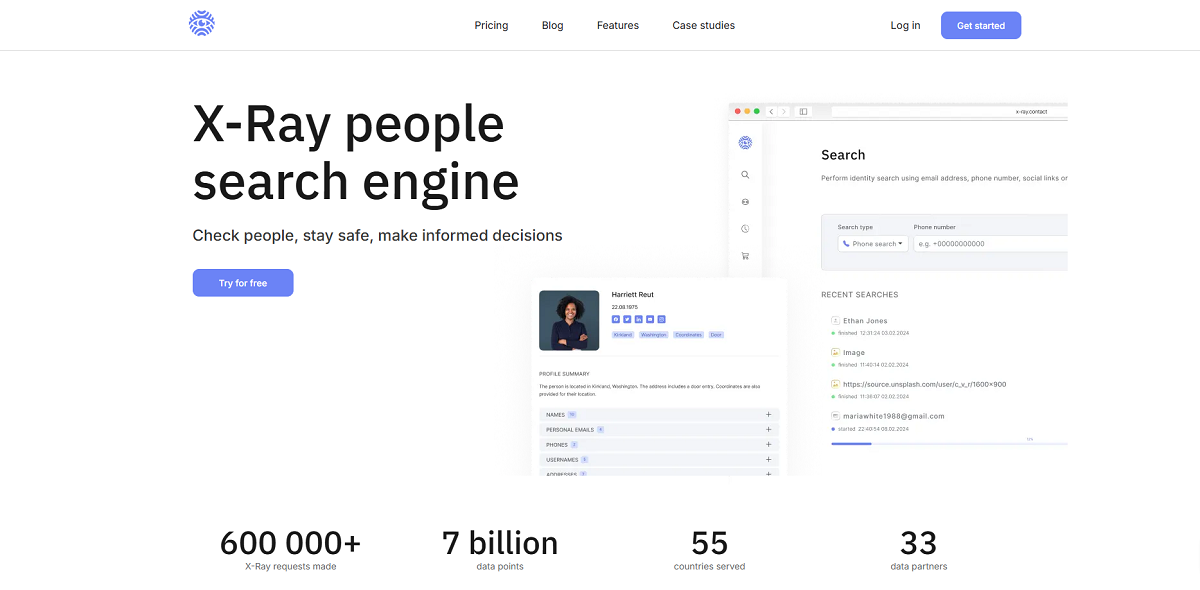
X-Ray Contact is an online OSINT tool for people searches that operates in-browser.

Enter an email address, phone number, username or even upload a picture, and X-Ray Contact will gather information from social networks, public databases, forums, news outlets, websites, blogs and many other sources to create a comprehensive report.

X-Ray Contact specializes in connecting the dots by showing you when a username is used across multiple social networks or email and phone numbers that are associated to an address. Because of this, X-Ray Contact is ideal for background checks, fraud prevention, and digital identity verification.

Key features:

  • Lookup emails, phone numbers, usernames, or pictures

Espy

Espy

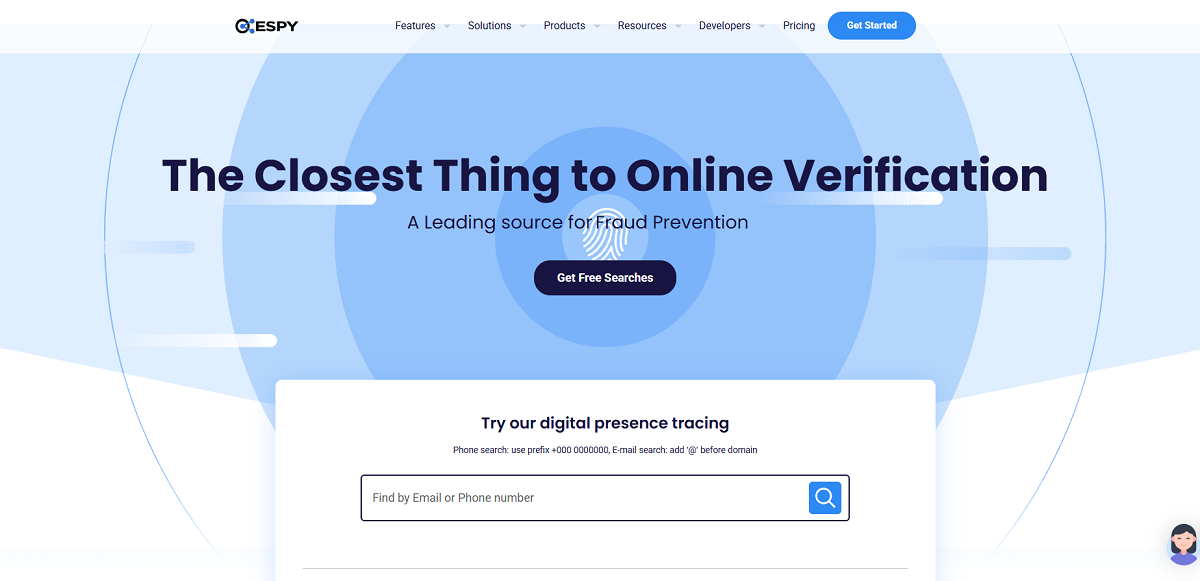
IRBIS Pro OSINT Profiler from Espy Technologies is more than a background check. It collects information that’s already publicly available about someone through email, phone number, username, online profiles, social media footprint, IP address, or dark web references, and organizes that data into a comprehensive profile.

Enter one piece of information, and Espy will look for that record across various online databases and repositories to identify potential aliases, financial red flags, or suspicious social behavior.

Use Espy Technologies for investigative due diligence, internal investigations, and compliance monitoring.

Key features:

  • Search by one identifier
  • Aggregates from various sources
  • Profiles with risk scoring
  • Links aliases, networks, and known accounts

The best free OSINT tools

The best free OSINT tools

Many free OSINT tools exist, some of which are already featured in this article. Some notable ones include:

  • ExifTool: a free/open-source application for viewing metadata commonly embedded in images and documents.
  • DNSDumpster: a free domain reconnaissance tool that uncovers an organization’s digital presence.
  • VirusTotal: a free service that analyzes files and URLs via numerous antivirus scanners.
  • Checklist Generator: an embedded tradecraft assistant that builds crisp, printable OSINT pivot lists.
  • Open Sources Toolkit: an embedded tradecraft assistant that explores and pivots from OSINT sources using handpicked tools, categories, or Quick Search as your launchpad.
  • Email Permutator: builds realistic email address candidates from supplied names and usernames.
  • Dork Assistant: helps users build Google Dorks from plain-language description of research or goals.
  • Image Forensics: performs Error Level Analysis (ELA) on an image by comparing it to a recompressed version of itself then displaying the difference.

Others worth checking out include theHarvester, SpiderFoot, Recon-ng, and Social Searcher. Free versions of some tools may be available, but be aware that most free OSINT tools have limited features.

The pros and cons of free OSINT tools

While free OSINT tools are powerful, it’s important to recognize their limitations.

Pros:

  • Easy to use with no barrier to entry (free!). This means individuals or small teams can use them just as effectively as large corporations with security budgets.
  • Most are open source.
  • Virtually endless amounts of tools are consistently being created and improved thanks to community involvement.

Cons:

  • Many of these free tools have limited capabilities when compared to their paid versions. API limits, data source restrictions, and cap on usage per day are common.
  • Some tools have large amounts of data but may feel clunky to navigate. For beginners getting started with OSINT, this can be frustrating.
  • OSINT tools can’t see information that isn’t already available online. Private profiles, paywalled sites, and information hidden behind login portals won’t be found by these tools.

Free OSINT tools allow you to gather as much data as you want from open sources for use in cybersecurity, threat intelligence, journalism, personal research, and more. They might not be as robust or come with as much support as some of the paid products, but they’re still quite useful.

The best OSINT tools for social media

Social media (SOCMINT) is one of the largest OSINT resources. We use social media for everything from identity attribution to behavioral analysis and mapping networks. These tools search and correlate information between the most popular social media platforms (Facebook, X, Instagram, Telegram, Reddit, etc.). Here are some tools that offer great social media coverage:

  • ShadowDragon® Horizon®Great depth of social media coverage. Identity linking and network mapping included.
  • theHarvesterPrimarily for emails and domains, but useful for pivoting into social account discovery.
  • SpiderFoot Automatically discover social profiles associated with identifiers.
  • Recon-ng Modular framework with some social media plugins.
  • Censys Helps connect technical infrastructure to online identities.
  • ShodanUseful for linking devices or services to individuals or organizations.

The reason these tools are effective for investigating social media is because it’s one of the most fragmented sources of data. You’re able to pivot off of one identifier (email, username, phone, etc.) and discover a network of associated accounts. This ability is what defines SOCMINT-capable tools from just OSINT tools.

What are open source intelligence (OSINT) tools?

Open-source intelligence (OSINT) tools are defined as computer software applications or OSINT platforms, and even OSINT techniques, that can be leveraged for advanced intelligence gathering purposes. Simply put, they’re used to collect publicly available information that can be used for intelligence.

Intelligence professionals utilize a wide variety of specialized tools from each of the different categories when gathering intelligence. These categories include:

  • Social media analysis
  • Metadata and file forensics
  • Domain and IP intelligence
  • Geolocation and image verification
  • Dark web monitoring

By “advanced intelligence gathering,” we’re referring to the use of OSINT tools to gain deeper insights, connect the dots, and surface actionable intelligence.

What to look for in OSINT tools

When considering what OSINT tool to use for advanced intelligence gathering, you want to look for more than just software that scrapes publicly available data.

You want an OSINT tool that can go deep, scale as you require, and transform massive amounts of raw data into actionable intelligence.

Whether it’s real-time monitoring, advanced analytics, integration, collaboration or compliance, your OSINT tool should be a unified, secure and flexible platform for every step of the intelligence lifecycle.

At a high level, the most important features to consider when selecting the right OSINT tool are:

Feature Description
Compliance Legal, regulatory, and ethical standards
Comprehensive Data Access Public records, social media, DNS, forums, dark web
Automation and Scalability Real-time alerts, batch processing, API integration
Advanced Analytics Machine learning, link analysis, behavioral correlation
Security and Anonymity VPNs, proxies, secure data handling
Visualization Tools Graphs, network maps, time-lapse tools
Cross-Platform Integration Works with SIEM, SOAR, data lakes
Multi-language Support Especially for global investigations

We’ll go over these features and capabilities in more detail below.

1. Comprehensive coverage

The ideal OSINT platforms will cast the widest net when it comes to covering different sources of data. This includes both physical and digital media, social media platforms, public databases, etc.

2. Data integration and centralization

OSINT platforms should allow you to integrate data from multiple sources and have it centralized in one place.

3. Automation and scalability

Look for a tool that can automate as much of the process as possible and is scalable.

4. Advanced analytics

Machine learning, pattern recognition, and other advanced analytics features are useful for finding additional meaning in your collected data.

5. Actionable insights

A quality OSINT tool should be able to provide insights you can actually use. Simply having data is useless if you aren’t able to turn it into actionable information.

6. Professional-grade

Your tool of choice should be something that’s dependable, supported, and made to get the job done right.

7. Real-time monitoring

A real-time monitoring tool will provide you with the latest information, allowing you to make decisions quickly and get ahead of emerging situations.

8. Visualization and reporting

Translate your collected data into easy-to-read charts, graphs and dashboards with built-in reporting features. Communicate your discoveries more clearly.

9. Cross-platform integration

Integration with other platforms, systems and databases allows your OSINT tool to play nicely with technology from other ecosystems.

10. Multi-language support

If you’re an investigator looking into leads that span the globe, multi-language support will be essential to your investigations. Beyond simply having your tools available in your native language, OSINT tools with multi-language support lift the language barriers around threat intelligence gathering. This allows you to analyze and understand information contained in foreign language sources natively within your tool instead of relying on a separate translator.

11. Anonymity and security

It goes without saying that you want to stay as anonymous and secure as possible when gathering intelligence. The tools you use should have features that prevent your identity and data from being tracked.

12. Customization and flexibility

Different investigators have different workflows, and you want a tool that you can customize to meet your specific needs. Customization and flexibility will allow you to use the tool across different tasks, industries, and types of intelligence without having to overhaul how you normally operate.

13. Collaboration and sharing

Collaboration and sharing tools allow users to work together and share information with colleagues or teams. Look for tools that offer collaboration and sharing features so multiple analysts can work together or share intelligence with different departments.

14. Cost and support

Consider your budget and the level of customer service when selecting OSINT tools. Users should also look into what kind of support is offered in case something goes wrong.

15. Security and compliance

Security and compliance ensure that the tools used for OSINT are secure and follow any applicable laws or regulations, as well as ethical guidelines.

OSINT search engines vs. people search engines

Some OSINT platforms are built as an OSINT search engine. With an OSINT search engine, you can search through indexed data sets and archived snapshots of the internet, going through large volumes of data at lightning-fast speeds.

Other platforms function more as an OSINT people finder. An OSINT people search helps you find people online and connect the dots between their various online identities. The best OSINT people search platforms will pull usernames, social media profiles, email addresses, etc.

ShadowDragon® Horizon® acts as both an OSINT people finder and an OSINT search engine, allowing investigators to search and correlate information for many pieces of data from hundreds of sources, all from a single tool.

How to build an OSINT toolkit

A well-rounded open source intelligence workflow requires OSINT tools that complement each other across different investigative phases. For professional investigators and analysts, the foundation of an effective toolkit starts with a comprehensive platform, and then supplements with specialized OSINT tools for specific technical tasks.

1. Comprehensive investigation platform (Core)

  • ShadowDragon® (Horizon®, SocialNet®, Investigate, Horizon Monitor®): Your all-in-one OSINT tools platform for complex investigations
    • Link analysis and relationship visualization
    • Real-time monitoring with keyword alerts
    • Access to 600+ data sources including social media, forums, and chat rooms
    • Malware connection mapping
    • Browser-based accessibility from any device
    • Advanced search and automation capabilities

ShadowDragon® should be the centerpiece of any professional OSINT toolkit, handling the heavy lifting of data collection, analysis, and visualization.

2. Metadata and file forensics

  • ExifTool: Extract location, timestamps, and device data from images and documents to verify authenticity

3. Domain and infrastructure reconnaissance

  • DNSDumpster: Quick subdomain discovery and DNS mapping
  • Shodan: Discover internet-connected devices and open ports
  • Censys: Deep attack surface visibility
  • DomainTools: Domain registration history and WHOIS analysis
  • SecurityTrails: Historical DNS records

Use these OSINT tools to gather technical infrastructure data, then import findings into ShadowDragon® for comprehensive analysis and visualization.

4. Breach data and credential intelligence

  • DeHashed: Search leaked credentials and compromised data from breaches

Combine DeHashed findings with ShadowDragon®’s 600+ data sources for complete subject profiles.

5. Threat intelligence integration

  • Recorded Future: Predictive threat analytics and dark web intelligence
  • VirusTotal: Multi-engine malware and URL scanning
  • Feedly Threat Intelligence: CVE and threat actor tracking

These specialized threat intel feeds complement ShadowDragon®’s malware analysis capabilities (MalNet®) for comprehensive threat assessment.

6. People and identity research

  • Spokeo: Public records and background checks
  • X-Ray Contact: Email and phone number lookups
  • Espy: Risk-scored profile analysis

While these OSINT tools provide people search capabilities, ShadowDragon®’s access to 600+ data sources, including social networks, forums, and historical datasets, often provides more comprehensive results for digital investigations.

7. Automation and technical reconnaissance

  • SpiderFoot: Automated OSINT collection (200+ modules)
  • Recon-ng: Modular framework for technical reconnaissance
  • theHarvester: Email and subdomain enumeration
  • Google Dorks: Advanced search operators

These OSINT tools excel at technical recon tasks. Feed their results into ShadowDragon® for unified analysis and relationship mapping.

8. Geolocation

  • Google Earth Pro: Satellite imagery with historical timelines for visual verification

9. Supplementary resources

  • Gephi: Open-source network visualization (for teams without access to ShadowDragon®’s superior built-in visualization)
  • Meltwater: Media monitoring and sentiment analysis
  • OSINT Framework: Tool directory for planning workflows

Example investigation stack

Scenario: Tracking a threat actor across multiple platforms
Input: Username discovered in dark web forum
Workflow: Stack the following OSINT tools and process:

  1. ShadowDragon® (Horizon®) → Primary investigation platform – search username across 600+ data sources
  2. ShadowDragon® (SocialNet®) → Map connections and visualize relationships between accounts
  3. DeHashed → Check for any leaked credentials associated with related emails
  4. theHarvester → Enumerate additional emails/subdomains if domains are discovered
  5. DNSDumpster → Map any infrastructure connected to threat actor
  6. ShadowDragon® (Horizon®) → Import all findings back into platform for unified analysis
  7. ShadowDragon (Horizon Monitor®) → Set up continuous monitoring with alerts for any new activity

Outcome: Complete threat actor profile with social connections, infrastructure mapping, credential exposure, and ongoing monitoring, all centralized in ShadowDragon®’s browser-based platform for easy team access and collaboration.


Building your stack: The ShadowDragon®-first approach

Start with ShadowDragon® as your foundation. With access to 600+ data sources, real-time monitoring, advanced link analysis, and malware investigation capabilities, ShadowDragon® handles the majority of OSINT investigation needs in a single, unified platform.

Add specialized technical tools only where needed:

  • Metadata extraction: ExifTool for deep file forensics
  • DNS/Infrastructure recon: DNSDumpster, Censys, or DomainTools for technical mapping
  • Breach data: DeHashed for credential compromise checks
  • Automation: SpiderFoot or Recon-ng for repetitive technical reconnaissance

Why this approach works:

  • Efficiency: One primary platform reduces tool-switching and streamlines workflows
  • Centralization: All findings feed back into ShadowDragon® for unified analysis
  • Visualization: ShadowDragon®’s link analysis capabilities eliminate the need for separate visualization tools
  • Scalability: Browser-based access means your entire team can collaborate in real-time
  • Professional-grade: Purpose-built for investigators, analysts, and intelligence professionals

To build the most effective OSINT toolkit, invest in a comprehensive platform like ShadowDragon® and supplement strategically with specialized tools only for capabilities that fall outside its extensive feature set.

Final thoughts

Advanced intelligence gathering demands more than just access to public data. It requires the ability to collect, analyze, and act on that data with speed, precision, and context. The tools featured in this list represent some of the best solutions available for professionals who need reliable insights in an increasingly complex digital landscape.

Among these leading solutions, ShadowDragon® stands out as a comprehensive OSINT platform purpose-built for investigators, analysts, and security teams. With solutions like Horizon®, SocialNet®, and Horizon Monitor®, ShadowDragon® enables users to uncover relationships, monitor evolving threats, and visualize complex data with ease. Contact us for a demo to learn more.


Frequently asked questions

How do I choose the right OSINT tool for my needs?

First, figure out what you need the tool to do, whether that’s keeping tabs on social media, analyzing domains, tracking locations, or another task. Take into account the tool’s capabilities, sources, user friendliness, automation abilities and integrations with other tools. Also, be sure to verify if the tool can be trusted by consulting community reviews.

Are OSINT tools legal to use?

Yes, in general, OSINT tools operate on publicly available data, which is legal. But usage must comply with regional privacy laws (e.g. GDPR, CCPA) and avoid accessing restricted, private, or paywalled content without authorization. Always check local regulations.

Are there free OSINT tools available?

Yes, many powerful OSINT tools are available for free, such as theHarvester, SpiderFoot, Recon-ng, and Social Searcher, among others. While free tools are useful, they may have limited features compared to paid versions.

What are the limitations of OSINT tools?

OSINT tools rely on publicly available data, which can be incomplete, outdated, or inaccurate. Legal and ethical boundaries also limit the depth of data collection. Additionally, some platforms restrict access via rate limits or APIs.

Are there OSINT tools for mobile devices?

Yes, there are several OSINT tools that have mobile-friendly versions or dedicated apps. The ShadowDragon® Horizon® platform has Horizon® Mobile that lets users search hundreds of online data sources from their mobile device and switch between mobile app and desktop platform with ease. Although many of the robust tools require desktop versions, there are mobile OSINT apps and even browser-based tools that can do simple things such as extract metadata and IP lookups.

How do I verify the accuracy of OSINT data?

Cross-reference information from multiple trusted sources. Look for consistency, check timestamps, and consider the credibility of the original data source. When possible, validate findings through official records or direct contact.

Can OSINT tools be automated?

Absolutely. Many OSINT tools support automation through APIs, scripts, or platforms like SpiderFoot and Recon-ng. Automation helps streamline data collection, analysis, and reporting, especially for large-scale investigations.

Is it legal to use OSINT tools?

Yes, using OSINT tools is legal most of the time. Whether information is public or not public, if you’re using OSINT tools to harass an individual or spy on someone or an organization without just cause, you’re going to find yourself facing some legal and ethical lines you shouldn’t cross. The same goes for exploiting sensitive information that you come across.

There are also privacy laws to consider. Regulations like the General Data Protection Regulation (GDPR) and California Consumer Privacy Act (CCPA) provide guidelines for how companies can collect, process, and store customer data, even if that data is publicly available. Companies that use OSINT professionally will typically adhere to data protection guidelines and standards to ensure they’re using it legally and ethically.

What tools should beginners use in OSINT?

Investigators just getting started with OSINT should look for tools that are easy to use and consume multiple data sources rather than specialized tools requiring advanced technical expertise.

The OSINT Framework is an excellent place to start. It provides a curated directory of hundreds of OSINT tools categorized by data sources like social media, geolocation tools, domains, and disinformation and media verification.

Once you’ve got a general understanding of the tools available, you can start sprinkling in easy-to-use, investigator-specific tools like ExifTool (metadata), DNSDumpster (domain lookups), Google Earth Pro (geolocation), and others that you’ll find yourself using over and over across investigations.

Platforms like ShadowDragon® Horizon® are especially useful for beginners. It combines several capabilities, including data collection, analysis, visualization, and continuous monitoring, into a single platform that allows beginners to easily connect information across data sources without a steep learning curve.